How robots.txt works and when to block pages from Google
Understand what robots.txt actually controls, when blocking URLs makes sense, and which mistakes can hurt how search engines crawl your site.
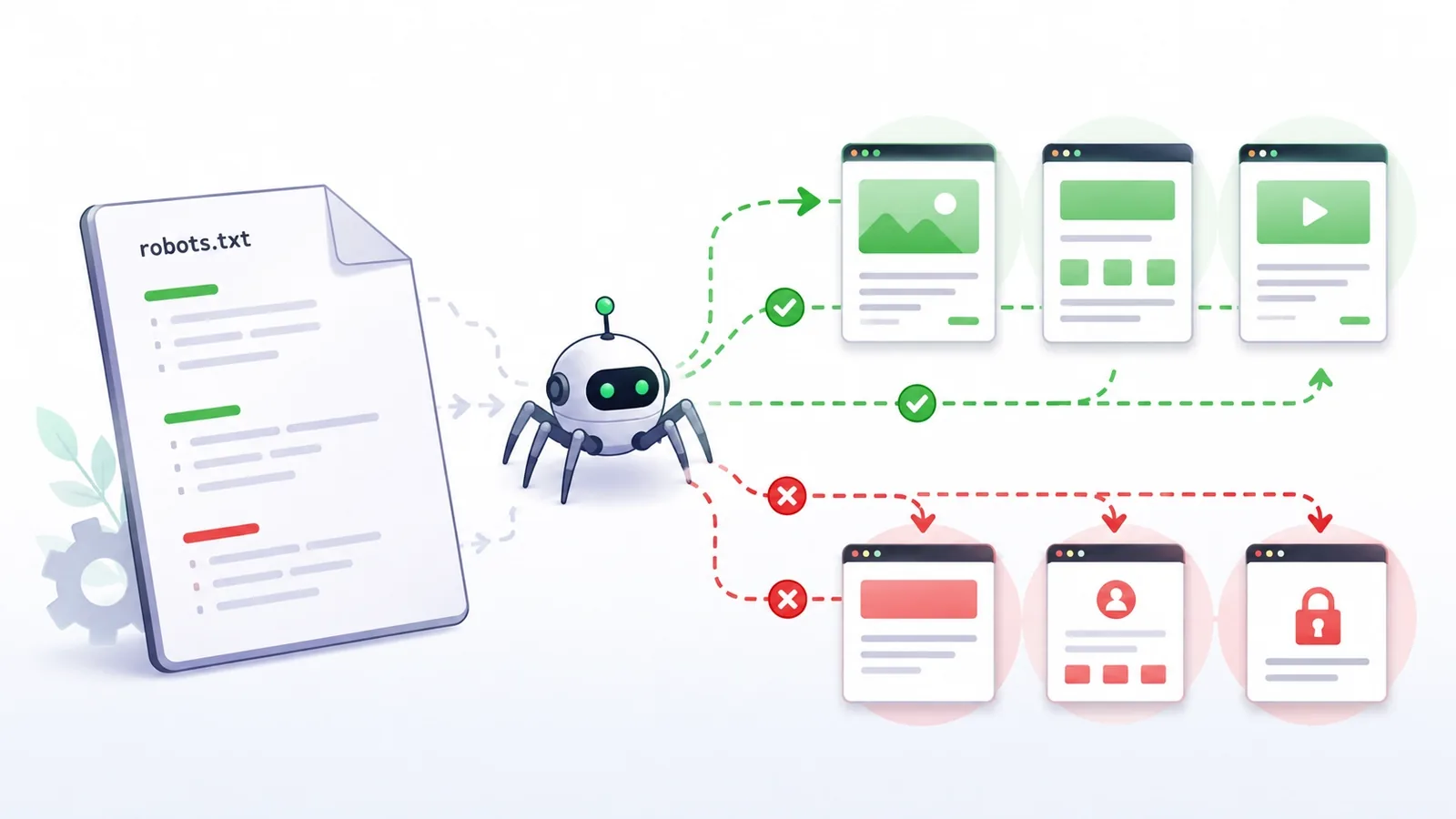
A robots.txt file looks deceptively simple: a few lines that tell crawlers which parts of a site they may or may not request. Yet one overly broad rule can prevent Google from crawling important pages, block resources needed for rendering, or create the false impression that a page has been removed from search.
The most important idea is this: robots.txt controls crawling, not indexing. It tells Googlebot which URLs it can request. That is different from telling Google whether a URL should appear in search results.
Understanding that distinction prevents many common SEO mistakes.
What is robots.txt?
robots.txt is a plain-text file published at the root of a site. On a domain such as https://example.com, it normally lives at:
https://example.com/robots.txtCompatible crawlers can request this file before exploring the site and use its rules to decide which paths they are allowed to fetch.
The rules apply to the protocol, host, and port where the file is published. A robots.txt file on https://example.com, for example, does not automatically control https://shop.example.com.
It is also not a security barrier. Private content still needs authentication, authorization, or another real access-control mechanism.
Crawling and indexing are different
This is the distinction that causes the most confusion.
Crawling happens when Googlebot requests a URL and reads its contents.
Indexing happens when Google processes information about a URL and decides whether it may be stored and shown in search results.
robots.txt mainly affects the crawling stage.
Consider this rule:
User-agent: *
Disallow: /reports/
It tells compatible crawlers not to fetch URLs under /reports/.
But that does not automatically mean a URL such as:
https://example.com/reports/salescan never appear in Google.
If other pages link to that URL, Google may still discover the address. In some situations, a blocked URL can appear in search without a normal content snippet because Google knows the URL exists but was not allowed to crawl it.
That is why blocking a page in robots.txt is not the same as removing it from the index.
When to use noindex instead
If your goal is to let Google access a page but prevent it from appearing in search results, noindex is usually the more appropriate mechanism.
A common HTML example is:
<meta name="robots" content="noindex">Google needs to crawl the page to see that instruction.
That is why this combination can be counterproductive:
User-agent: *
Disallow: /internal-page/
while the page itself contains:
<meta name="robots" content="noindex">If Googlebot cannot fetch the page because of robots.txt, it may not be able to read the noindex directive.
So if you want Google to process noindex, do not block that same page from crawling.
For genuinely private content, neither robots.txt nor noindex replaces real access control.
How the basic directives work
A robots.txt file is organized into groups. Each group begins with a User-agent line followed by rules for that crawler.
A simple example:
User-agent: *
Disallow: /admin/
Disallow: /internal-search/

Sitemap: https://example.com/sitemap.xml
User-agent
User-agent identifies the crawler the group applies to.
The asterisk is the general wildcard:
User-agent: *You can also create a group for a specific crawler:
User-agent: GooglebotSpecific groups are useful only when there is a real reason to treat that crawler differently.
Disallow
Disallow tells the crawler which paths it should not request.
For example:
Disallow: /admin/blocks crawling under that path for the matching group.
Broad rules deserve extra caution because a short pattern can affect more URLs than expected.
Allow
Allow can make an exception inside a blocked area.
For example:
User-agent: *
Disallow: /files/
Allow: /files/public/
The broader /files/ path is blocked, while /files/public/ is explicitly allowed.
For Google, the most specific matching rule wins. If conflicting rules have the same level of specificity, the less restrictive rule is preferred.
Sitemap
You can also point crawlers to a sitemap:
Sitemap: https://example.com/sitemap.xmlMore than one sitemap can be listed:
Sitemap: https://example.com/sitemap-posts.xml
Sitemap: https://example.com/sitemap-products.xml
This helps crawlers discover sitemap files; it does not guarantee that every listed URL will be indexed.
When does blocking URLs make sense?
The best use of robots.txt is usually to reduce unnecessary crawling, not to hide content.
Areas with no search value
Some sites generate technical paths, internal search results, or system-only URLs that do not need to be crawled.
If blocking those areas does not prevent access to important content or resources, a robots.txt rule may be appropriate.
Large filter and parameter spaces
E-commerce sites and directories can generate thousands of URL combinations through filters:
/products?color=blue&size=m
/products?color=blue&size=l
/products?sort=price
Blocking parameter combinations is not automatically the best solution. Canonical URLs, internal linking, faceted navigation, and site architecture may be more important.
On very large sites, however, limiting crawl access to low-value URL spaces can be part of a broader crawl-management strategy.
Expensive or repetitive endpoints
Some URLs trigger expensive queries, report generation, or operations that search crawlers do not need.
Reducing crawler access can make sense there.
If the endpoint is sensitive, though, it must still be protected independently of robots.txt.
When should you not block a path?
Some uses of robots.txt look convenient but solve the wrong problem.
Pages you want removed from Google
If the goal is removal from search results, crawl blocking alone is not the right mechanism.
Depending on the case, use noindex, remove the page, require authentication, or choose another indexing-control strategy.
Important CSS and JavaScript
Google needs access to key resources in order to render pages properly.
Blocking CSS or JavaScript used by pages you want indexed can make it harder for Google to understand what users actually see.
Before blocking an assets directory, check what depends on it.
Private or confidential content
A robots.txt file is public. Anyone can open /robots.txt and read its contents.
Writing:
Disallow: /secret-documents/does not make the directory secret.
If a resource should not be available publicly, protect it with authentication and authorization.
How bot-specific groups work
You can define different groups:
User-agent: *
Disallow: /temporary/

User-agent: Googlebot
Disallow: /experiment/
A useful detail is that Google looks for the most specific User-agent group that matches the crawler.
The Googlebot group is not simply merged with the general * group.
In this example, Googlebot evaluates the rules in the Googlebot-specific group, while crawlers without a specific group fall back to the general group.
Repeated groups for the same specific user agent can be combined by Google.
This is one reason to keep the file understandable instead of building a large maze of exceptions.
How * and $ work in patterns
Google supports two useful pattern-matching characters.
The asterisk * means zero or more characters.
For example:
Disallow: /*.pdfcan match paths containing .pdf after the initial slash.
The dollar sign $ means the end of the URL.
For example:
Disallow: /*.pdf$matches a URL that ends exactly with .pdf.
A URL such as:
/document.pdf?download=1does not end with .pdf, so the $ changes the match.
Wildcards are powerful, but they also make mistakes easier. The more complex the rule, the more important testing becomes.
Common robots.txt mistakes
One of the most dangerous rules is:
User-agent: *
Disallow: /
The single slash represents the whole site for that group.
This can be valid on an environment that truly should not be crawled, but it is dangerous on a live production site.
Other common mistakes include:
- using
robots.txtto try to remove indexed pages; - blocking a page that contains
noindex; - blocking CSS or JavaScript needed for rendering;
- forgetting that paths are case-sensitive;
- copying rules from another site without understanding its URL structure;
- creating many exceptions that nobody can explain later;
- assuming every crawler supports the same non-standard directives.
A short, readable file is usually safer than a clever one nobody wants to touch.
How to test before publishing
Before changing the live file, make a small test set of real URLs:
- one URL that must remain allowed;
- one URL that should be blocked;
- one
Allowexception; - one parameterized URL;
- one similar-looking URL that must not match.
Then compare each path against your rules.
If you want a visual way to build and test patterns first, you can use a robots.txt generator and tester to experiment before publishing the file.
The test is not complete when the intended URL is blocked. You also need to prove that important URLs remain accessible.
After publishing, open:
https://yoursite.com/robots.txtand confirm that the server is returning the file you expected.
A simple robots.txt is often enough
Many sites need very little configuration.
A minimal file might be:
User-agent: *
Disallow:

Sitemap: https://example.com/sitemap.xml
An empty Disallow means there is no blocked path in that group.
If one area clearly does not need crawling:
User-agent: *
Disallow: /search/

Sitemap: https://example.com/sitemap.xml
The best file is not the one with the most directives. It is the one that accurately reflects the site's real structure.
A checklist before blocking any URL
Before adding a rule, ask:
- Am I trying to control crawling or indexing?
- Could the URL still appear in Google if crawling is blocked?
- Is there a
noindexdirective Google needs to see? - Do important pages depend on CSS, JavaScript, or images under this path?
- Could the pattern match similar URLs by accident?
- Is this private content that should use authentication instead?
- Is there a real reason for a Googlebot-specific group?
- Have I tested both allowed and blocked URLs?
- Does the sitemap still list URLs I expect crawlers to access?
- Will someone else understand this file six months from now?
If the first question is unclear, do not write the rule yet.
Frequently asked questions
Does robots.txt prevent a page from appearing in Google?
Not necessarily. It controls crawler access, but the URL may still be discovered through links and appear in search.
What is the difference between Disallow and noindex?
Disallow controls crawling. noindex tells the search engine not to keep the page in its index, provided the crawler can access the page and read the directive.
Can I block my admin area with robots.txt?
You can discourage crawling, but that does not secure the area. Administrative pages should require proper authentication and authorization.
Do I need a robots.txt file?
Not every site needs special restrictions. If all public pages can be crawled, a very simple file—or no restrictive rules—may be enough.
Can robots.txt contain comments?
Yes. Text after # is treated as a comment by compliant crawlers.
Think of robots.txt as crawl control, not invisibility
The safest way to use robots.txt is to define the goal first.
If you want to reduce crawling of low-value URL spaces, it may be the right tool. If you want a page removed from search, you probably need noindex or another indexing strategy. If you want to protect private information, you need real access control.
Before adding a rule, identify the exact URLs involved, why they should not be crawled, and what must remain accessible. A small, tested, understandable robots.txt file usually works better than a large collection of copied rules.